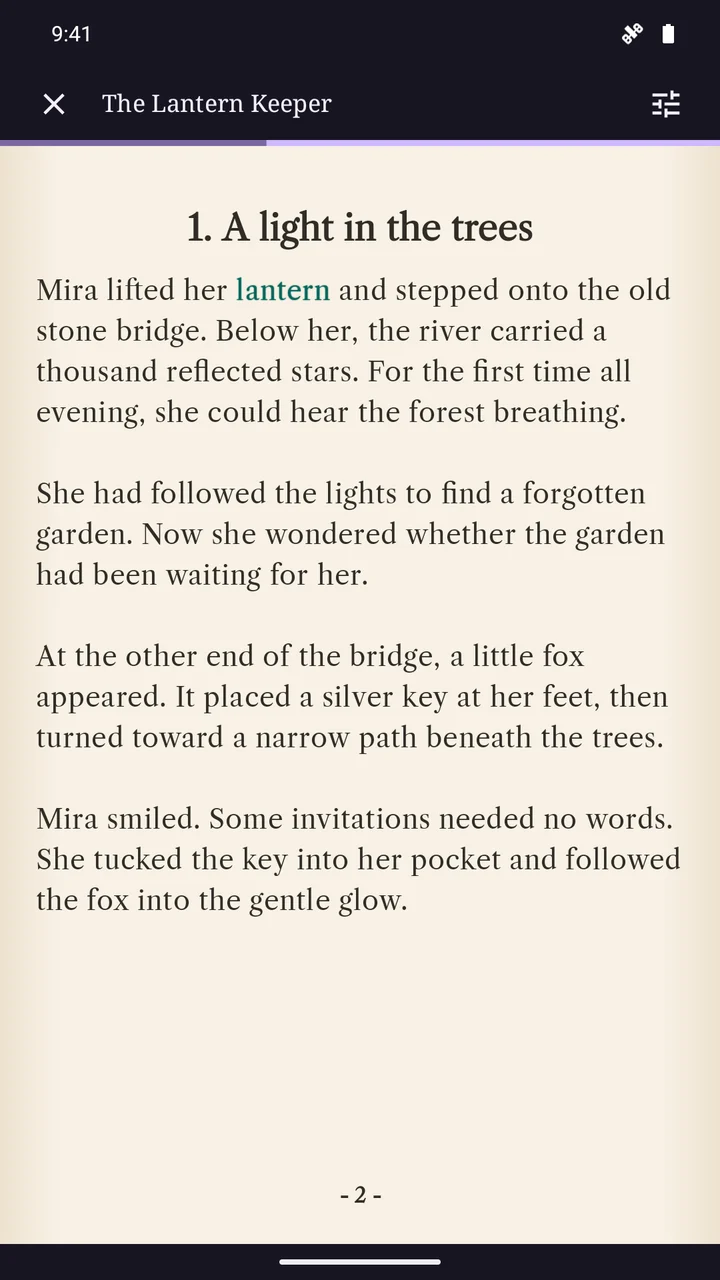
A narrated book made from your story
Storiya creates narrated stories from the books you make in the app. You can read the text, turn the pages and listen when narration has been included. The upcoming reader also highlights the words as the recording plays, helping you follow the story on the page.
The focus is original and community-created stories. Storiya is not a catalogue of commercially published audiobooks, and adding narration does not publish your work to an external audiobook store.
How to add AI narration
Prepare the story you want to hear
Start with your own chapter text or a draft from Dream it up. Review the title, character names, dialogue and chapter order. Narration follows the text, so this is the moment to correct details or change the pacing.
Choose the voice in Look & Sound
In the upcoming creation flow, open the narration choices and listen to the available voice samples. Think about the tone you want: a reflective story and a lively adventure may suit different voices. Leave narration off if you only want a reading book.
Check the quote before creating
Generated narration is a credit-based feature. Review the total creation cost, including any other AI choices, before you confirm. A book without narration remains readable.
Listen and read along
Open the finished book and choose Listen in the reader. You can pause and resume narration, follow the highlighted text and use the reader’s chapter controls. The upcoming release brings these reading and listening controls together.
Give the words room to breathe
Before generating audio, read a chapter aloud yourself. Break up a sentence that is difficult to follow, check punctuation and make it clear who is speaking. Review unusual names carefully: generated voices may not pronounce every word as you expect.
AI narration can make a personal story enjoyable in another way, but it is not a human studio performance. Listen to the result before publishing your story. You do not need to add artwork or use AI writing simply to choose narration.
Find stories to read and listen to
Discover is the place to explore books other creators have published in Storiya. Not every story includes audio; listening is available for books that have narration. Your own books stay in your Library, and creating a narrated book does not automatically make it public.
Adjust the reading preferences when you want to settle into the text, or listen to a narrated chapter while following the words. If you want a visual story too, the illustrated story creator combines chapter text with your photos or optional AI artwork.
Where can I try it?
Storiya is available for Android on Google Play. The screens and steps on this website preview the upcoming release, so the public version may differ. Storiya is coming to web and iOS soon.
Your next chapter
Explore illustrated story creation and narrated stories, or ask us a question.
Explore Storiya for Android